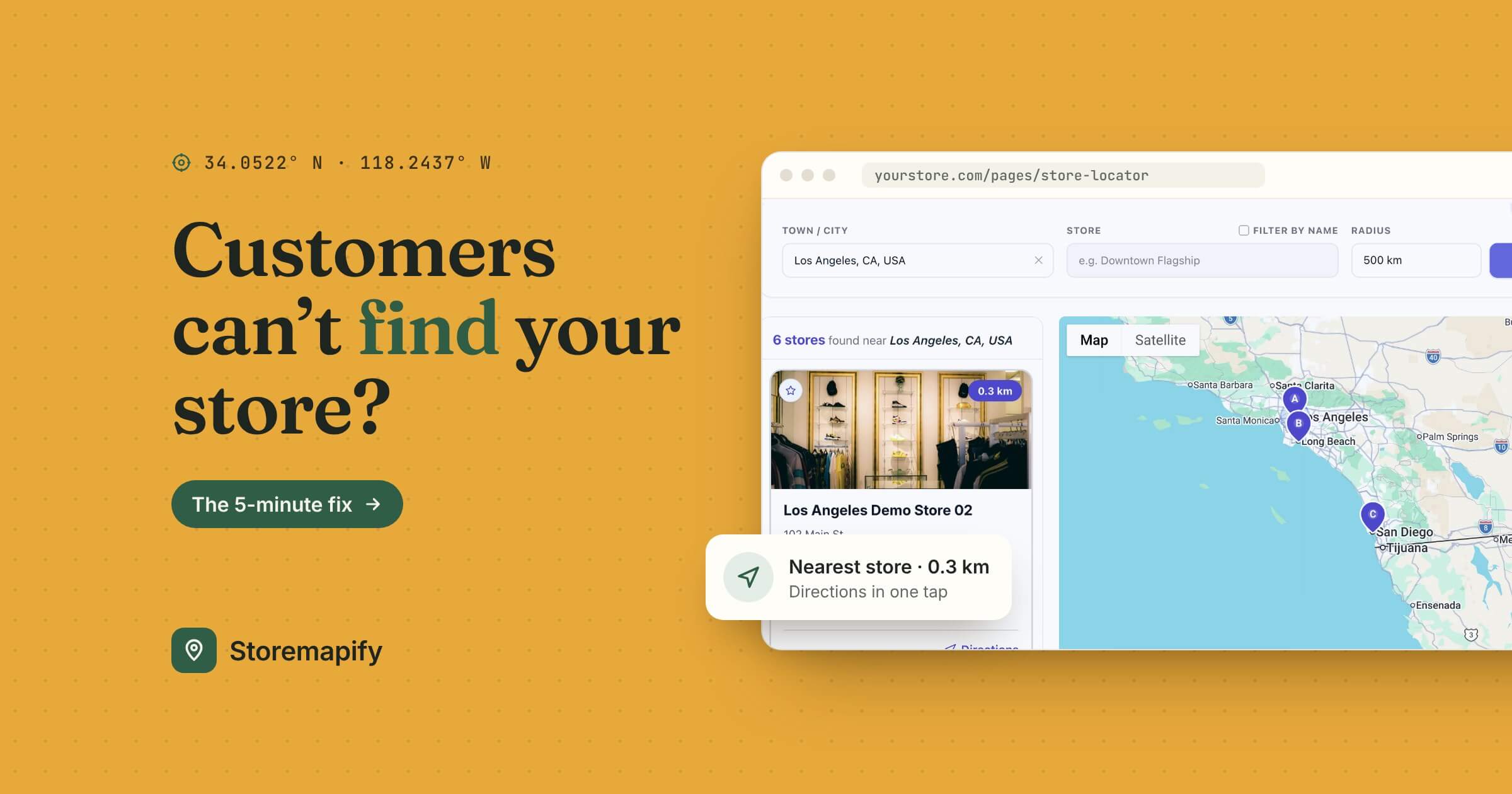
The sale you never saw
It’s Saturday morning. A shopper finds your brand on Instagram, loves a product, and wants it today. Not in three to five business days. Today.
So they open your Shopify store on their phone and look for your nearest location. They scroll the menu. They check the footer. They find a “Contact” page with a wall of addresses and no map.
Thirty seconds later, they close the tab and walk into a competitor’s shop down the road.
You paid to bring that customer to your site. You had the product they wanted, a store near them, and a buyer ready to spend. You lost the sale anyway, and your analytics will never tell you why.
If you sell through physical stores or stockists, this is happening on your site right now. The good news: it’s one of the easiest leaks in your business to fix.
Why shoppers can’t find your store
Shoppers check before they travel. Before they get in the car, they want three answers: where is it, is it open, and how do I get there?
Most Shopify stores answer those questions badly, or not at all:
- A plain text list of addresses. No map, no distance, no directions. The shopper has to copy each address into Google Maps.
- Locations hidden in the footer or a “Contact” page. If it takes more than a few seconds to find, most people won’t bother.
- Nothing built for mobile. That’s where most of these searches happen, often on the way somewhere. Small text and no tap-to-navigate means no visit.
None of this looks broken, which is why it gets ignored. But every visitor with buying intent who hits it is a sale walking out the door.
What a missing store locator really costs you
This isn’t a small UX detail. It hits your revenue in four places.
1. You pay for traffic that never converts. Every ad, post, and email that brings a local shopper to your site has a cost. If they can’t find a store, that spend is wasted. Worse, it sends them to someone else.
2. Outdated info creates angry customers. You change opening hours or close a branch, but the page doesn’t get updated. Someone drives across town to a locked door. That’s not a lost sale. That’s a one-star review.
3. Your stockists stop pushing your brand. Retail partners want foot traffic. If your website never sends customers their way, why would they give your products the best shelf space?
4. Every change becomes a developer ticket. New store opening? Send it to your developer, wait, and pay. So updates get delayed, and the info goes stale again.
Add those up and a basic locations page is quietly one of the most expensive pages on your site.
The 3 things every Shopify store locator must do
Whether you use our app or someone else’s, hold your store locator to these three standards.
1. Show an interactive map that works on mobile. Shoppers should see every location at a glance, tap the closest one, and get directions in one tap. No copying and pasting addresses.
2. Be easy to update without code. You should be able to add, edit, or remove a location in minutes. If you have dozens of stores or stockists, you need bulk import from a spreadsheet, not one-by-one data entry.
3. Look like part of your store. A clunky embedded widget that clashes with your theme hurts trust. The locator should sit inside your theme and match your brand.
If your current setup misses any one of these, you’re leaving sales on the table.
The 5-minute fix: Storemapify
We built Storemapify for exactly this problem. It adds an interactive, Google Maps–powered store locator to your Shopify store, with no code and no developer.
Here’s the whole setup:
- Install Storemapify from the Shopify App Store.
- Add your locations in your Shopify admin, one at a time or all at once with a CSV import.
- Add the Store Locator block to any page using your theme editor. It installs as a Theme App Extension, so it sits inside your theme.
- Hit publish. Your customers can now find every store, see it on a map, and get directions in one tap.
Need to update a location later? Edit it in your admin, or export the CSV, change it, and import it back. No tickets, no waiting.
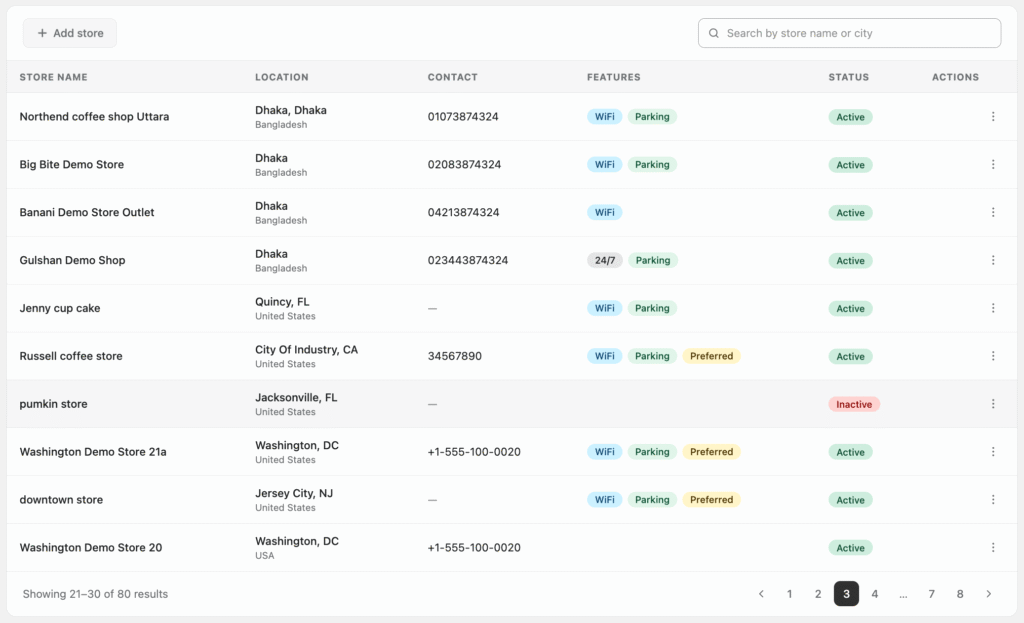
All your locations in one place: search, edit, and see which stores are active.
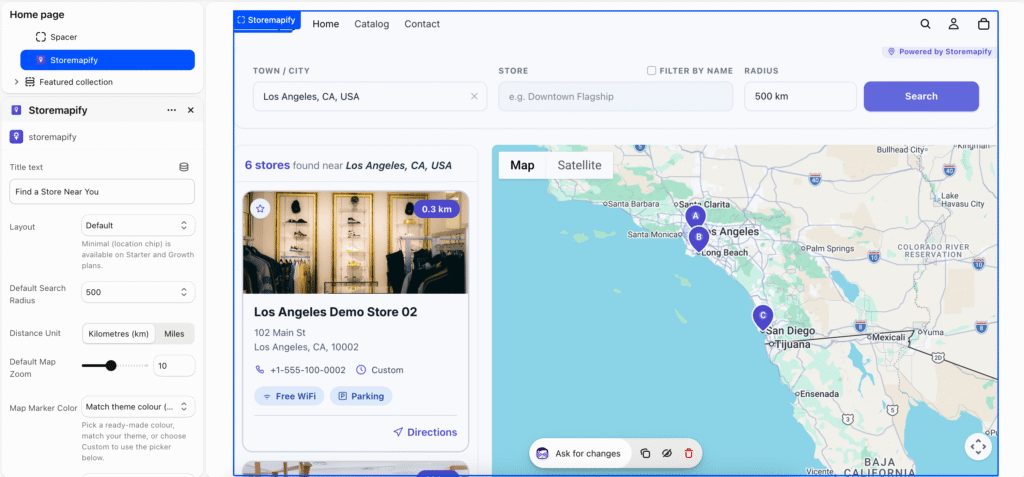
Add the block in your theme editor and set zoom, marker colours, search radius, and km or miles.
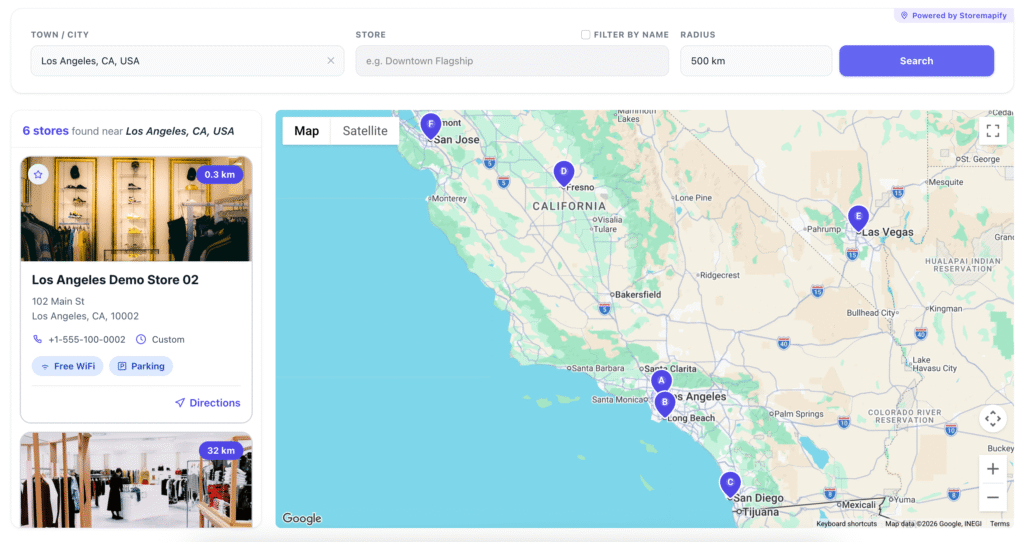
What your customers see: nearby stores sorted by distance, opening hours, and one-tap directions.
Try Storemapify free
Add a store locator to your Shopify store in 5 minutes. Free for up to 5 locations, no code needed.
Try it with zero risk
You don’t have to take our word for it. Start free and see the difference on your own store.
| Plan | Locations | Best for |
|---|---|---|
| Free | Up to 5 | Small brands with a few shops |
| Starter | Up to 50 | Growing brands and stockist networks |
| Growth | Unlimited | Large retail and multi-region brands |
Paid plans come with a 7-day free trial. You can have your locator live before your coffee gets cold, and it costs nothing to test.
Who built this (and why you can trust it)
Storemapify is new, so we won’t pretend to have a wall of reviews. Here’s what you get instead.
I’m Anam Hossain, the developer behind Storemapify. I’ve spent 10+ years in web engineering, working with clients in the US and UK. I’ve taken more than 20 websites from zero to production, including e-commerce stores and multilingual sites. My focus is the work that keeps a site solid: clean architecture, strong security, fast performance, and real accessibility. I’ve tuned high-traffic sites for Core Web Vitals and built experiences that work for every customer, whatever their device or ability.
Storemapify is built to the same standard: fast, simple, and easy to keep up to date.
Become one of our first users. Install Storemapify now and you get something big apps can’t offer: a direct line to the person who built it. Tell me what your stores need, and your feedback shapes what we build next.
Early-install bonus: free setup help. Install Storemapify during early access and I’ll personally help you get it live. That means importing your locations, placing the locator on your store, and matching it to your brand, at no extra cost.
Stop losing customers at the last step
Your customers already want to visit your stores. Your job is to make it effortless. A real store locator turns “where are you?” into “see you soon” in a single tap.
Add a store locator to your Shopify store — free →
Not ready yet? Bookmark this post and check your current locations page against the 3 must-haves above. If it fails even one, you know where your next sale is leaking.
FAQ
Is there a free version? Yes. The Free plan covers up to 5 locations, with no time limit. Paid plans include a 7-day free trial.
Can I import my existing store list? Yes. Upload a CSV to add all your locations at once, and export it anytime to make bulk changes.
Will it work with my theme? Storemapify installs as a Shopify Theme App Extension block, so you add it through the theme editor like any other section. App blocks work with Online Store 2.0 themes.
Do I need a developer? No. Everything is done from your Shopify admin and theme editor.